Join or Sign In
Sign in to customize your TV listings
By joining TV Guide, you agree to our Terms of Use and acknowledge the data practices in our Privacy Policy.
Roku Premiere vs. Roku Ultra
With so many choices in Roku devices some users may feel hard-pressed to pay a premium for Roku Ultra, while others may find it has the complete package.
Device Overview
| Roku Premiere | Roku Ultra |
|---|---|
| • Starting at $35 • Stream in 4K, HD, and HDR • Not compatible with Bluetooth | • Starting at $70 • Stream in Dolby Vision, 4K, HD, and HDR • Bluetooth compatible |
Looking for a new streaming device? Roku is now a household name in the streaming industry, and one of Roku's strengths is all the different models you can choose between. Some models have more features than others, and the prices vary quite a bit.
The Roku Ultra is twice the cost of the Roku Premiere. If you opt for Roku's premium model, you get quite a few extra features in the package. But the high price tag will make some people think twice, especially with so many less expensive models now on the market.
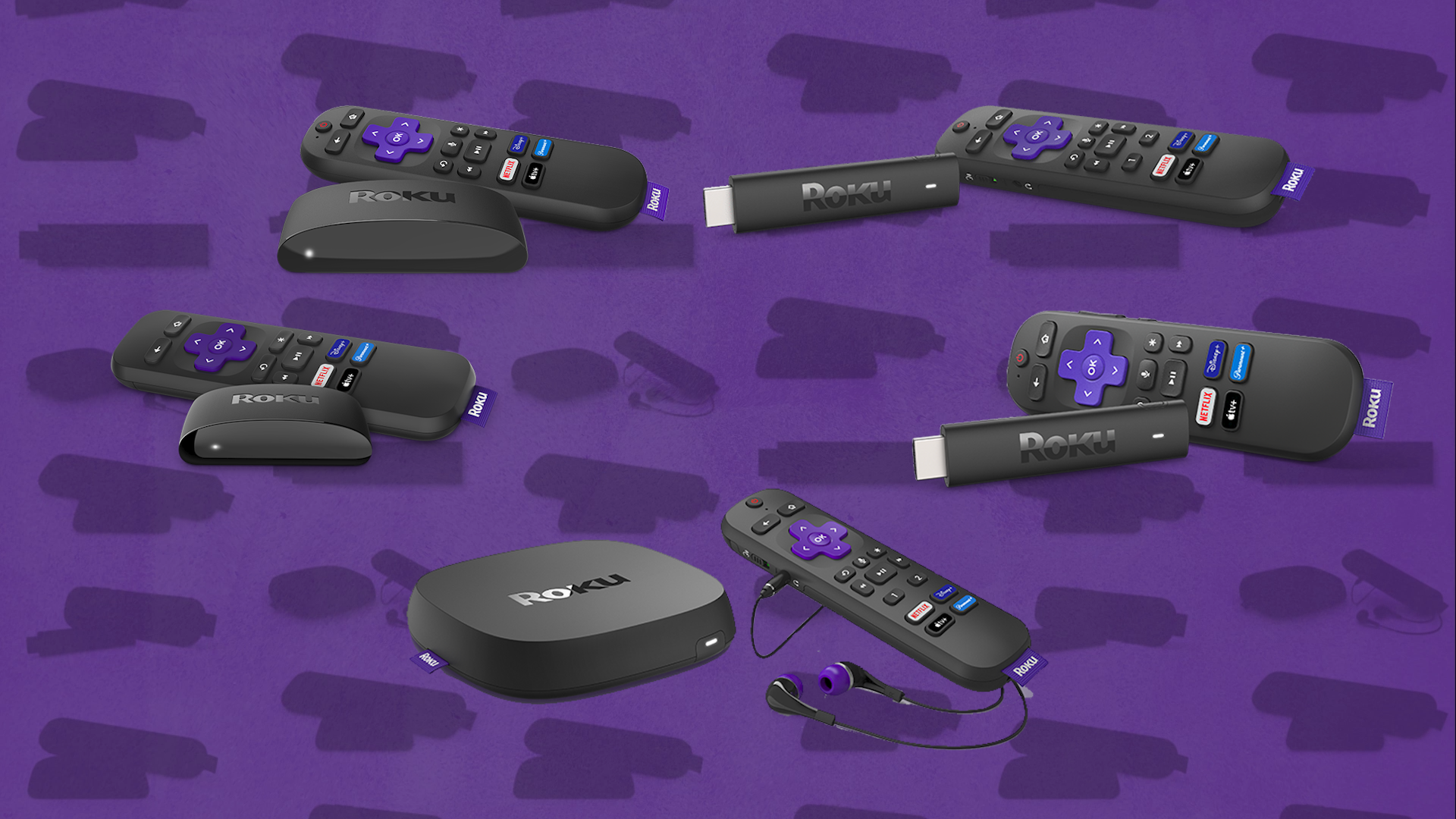
Both models support 4K streaming, as well as digital surround sound, but Roku Ultra includes quite a few other perks. We'll run through cost, features, content and more so you can make an informed choice on the right streaming device.
Comparing Roku Premiere vs. Roku Ultra
| Roku Premiere | Roku Ulta | |
| Price | $35 | $70 |
| Size | 0.7 in x 3.3 in x 1.4 in | 1.0 in X 4.9 in X 5.0 in |
| Streaming quality | HD, 4K, HDR | HD, 4K, HDR, Dolby Vision |
| Voice enabled remote | Only with mobile app (works with Apple AirPlay, HomeKit, Hey Google, Alexa) | Yes (works with Apple AirPlay, HomeKit, Hey Google, Alexa) |
| Connect to TV via | HDMI cable | Premium high speed HDMI cable |
| Headphones for private listening | Yes (only through mobile app) | Yes, headphones included |
| Audio | DTS Digital Surround | Dolby Atmos, DTS Digital Surround |
| Bluetooth | Not included | Yes, Bluetooth compatible |
Roku Premiere vs. Roku Ultra pricing
Roku Premiere
Roku Premiere is one of the more affordable ways to stream in 4K, so it only comes with a few features, which will be plenty if you're just looking for a device to stream shows with your 4K TV. Right now the Premiere costs about $35, plus tax.
You can buy a Roku Premiere at Best Buy or Walmart, either online or at the store. Amazon also sells used models of Roku Premiere for $30, which helps to save a few bucks. Target doesn't appear to carry this model at the moment.
Roku Ultra
Roku Ultra is one of the premium models Roku offers, and the company definitely packs in features in an effort to justify the higher cost. The Ultra model used to run $100, but recently it's been discounted to $70. So if you compare the Ultra to other higher-end streaming options like the Apple TV 4K, the $70 price tag is actually pretty fair.
You can buy a Roku Ultra online or in-store at Best Buy, Walmart, or Target. All of these retailers are currently selling the Ultra at a discounted price. Amazon also sells new and used models. The used models are around $63 right now.
Roku Premiere vs. Roku Ultra features
Roku Premiere
While the Roku Premiere can't match all of the features that come with the Ultra, this model is still a solid streaming device that comes with everything you need to watch the top streaming services like Hulu and Disney+. Here's how the Roku Premier stacks up.
Setup
You won't need much technical know-how to set up a Roku. All of these devices are pretty much plug-in and play. After plugging in the device to the wall and connecting it to your TV's HDMI input, all you need to do is log in to your WiFi, follow the simple instructions on the screen. Make sure to set up the device with a clear line of sight for the remote control.
Design
The Roku Premiere is a small device that can fit in the palm of your hand. You'll need to attach it somewhere close to the front of your TV, so you can reach it with the remote. So Roku designed the device so it won't get in your way. There's an adhesive strip included in the package to make it easier to attach the Premiere on any surface.
Remote
You'll get a basic remote with the Roku Premiere. This remote comes with a navigation pad, playback buttons, and shortcuts for popular streaming services like Netflix and Hulu. However, there are no buttons for controlling the TV, so you'll still need to keep your regular TV remote handy. The remote that comes with the Premiere model is an IR remote, so you'll need to point it directly at the streaming device for it to work.
Streaming quality
The Roku Premiere supports streaming in HD, 4K, and HDR. If you have a 4K TV you want to use with your streaming services, then the Roku Premiere is an affordable way to take advantage of your TV's 4K capabilities. When compared to the Roku Express, which doesn't offer 4K streaming, the Roku Premiere is only $10 more, which definitely makes this model a bargain in terms of streaming quality.
Content
All Roku devices have full access to all of the apps and content that are available from the Roku store. This includes big-name streaming services like Netflix, Hulu, Disney+, HBO Max, and YouTube TV. Aside from the services you're probably already familiar with, Roku gives you access to countless other apps, many of which are free to download and watch.
You can also check out free movies and TV with apps like Tubi, Crackle, Pluto TV, Vudu, and Hoopla. Roku also supports quite a bit of live sports streaming. You can check out official apps from pro sports leagues like the NFL, NBA, and MLB. There are also niche services for watching genres--check out horror content on Shudder and sci-fi content on Comet TV.
Roku Ultra
The Roku Ultra is now more affordable at $70, which makes this a much more attractive buy for people who are looking for a premium streaming device. But this device is still on the pricey side. Here's how the Roku Ultra stacks up.
Setup
The setup here is fairly straightforward, like all Roku models. But The Roku Ultra has an optional setup feature you can choose if you want. There's an Ethernet port on the back of the device, so you can plug it in directly to your internet modem, which means you won't need to use WiFi. The Ultra model features a Bluetooth remote instead of an IR remote, so the device doesn't need to be in view. You can hide it wherever you want, as long as it's within reach of the TV.
Design
The Roku Ultra is a slightly larger device than the Roku Premiere. But the big advantage here is that the Ultra device can be hidden away behind or underneath the TV. You don't need to have the Ultra visible. The reason is that the Ultra remote runs on Bluetooth, not infrared, so the remote will work even if you can't see the device.
Remote
One of the Ultra's coolest features is the remote that comes with it. This remote comes with all the functionality of the Premiere remote, plus a few buttons for TV control. You'll be able to control the TV's volume and power with this remote. So you won't need the regular TV remote if you're just watching with the Roku Ultra.
Aside from the standard shortcuts, you'll also get two programmable shortcuts that you can use with whatever app you want from the Roku store. The remote also comes with a headphone jack that you can use with the headphones that are included (or other headphones). This is a Bluetooth remote, so it will work even if the device isn't visible.
Streaming quality
The Roku Ultra supports streaming in HD, 4K, HDR, and Dolby Vision. If you're looking for top picture quality for a full home theater experience, Dolby Vision is hard to beat. But considering the Ultra also supports HD, 4K, and HDR, you won't have any trouble with getting the best quality video, regardless of which streaming service you use.
Content
Like all of Roku's devices, the Ultra will give you access to everything there is in the Roku store. If you already have subscriptions to streaming services, you'll be able to download those apps and sign in through your Ultra device. But you won't be limited to the services you already have, the Roku store has tons of apps you can download. The Roku store calls these apps "channels".
A few options you can try are free channels, like the Roku Channel, The LEGO Channel, NASA TV, and Baby Boomer Cartoons. There are also music apps like Spotify, as well as many dedicated news apps you can watch, such as CBS News, NBC News, Sky News, Local Now, and Bloomberg TV.
Our Final Take
If you're just looking for an affordable way to stream movies and shows in 4K, the Roku Premiere will do pretty much everything you need. The $35 price tag will give you access to everything in the Roku store, although many of the apps require subscriptions. If you want a premium streaming device, the Roku Ultra is now a good deal at $70. While this device costs twice as much as the Premiere, the Ultra comes with all of the perks you can expect with a premium streaming device, such as Bluetooth, remote with TV control and headphones, and Dolby Vision for top video quality.